Pipedrive webhooks and custom fields via the API
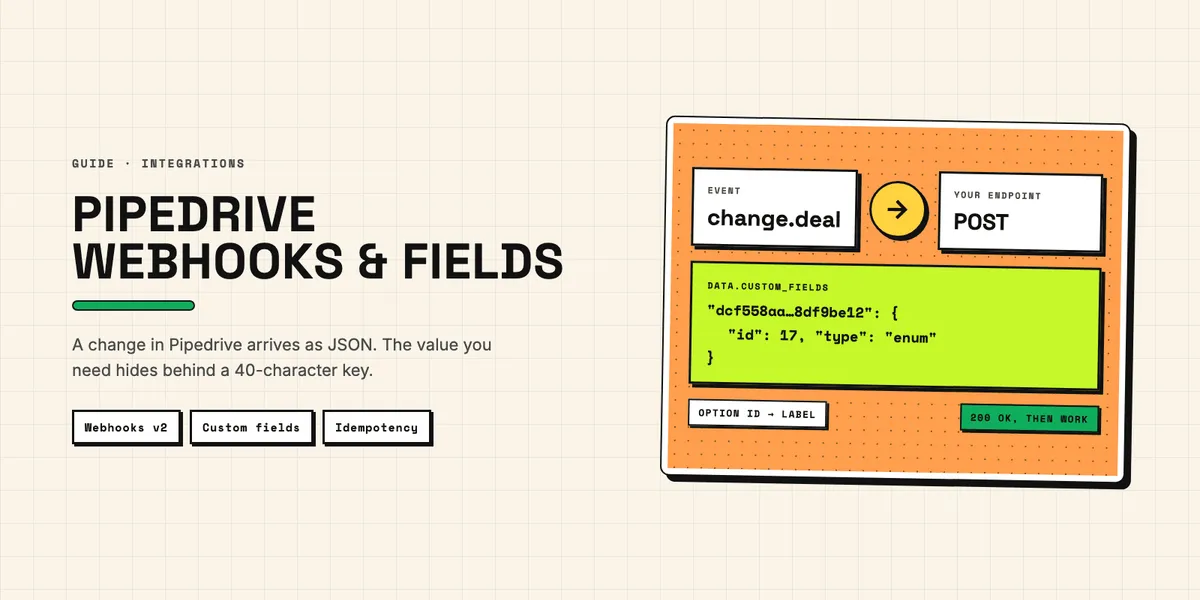
Pipedrive webhooks push a JSON message to your server whenever a deal, person or other record is created, changed or deleted, so your integration no longer has to ask every few minutes whether something happened. Custom fields are where most of the interesting data in those messages lives, and they arrive under 40-character keys that mean nothing until you map them. This guide covers both halves: how to create a webhook, what it delivers, how Pipedrive behaves when your endpoint fails, and how to read custom fields reliably, in webhook payloads and in the API.
It is written for the developer or ops person who has to make a sync work, not for the person choosing an app. Authentication in general and the daily token budget behind every follow-up call are covered in a separate article; here, scopes come up only where webhooks need them. The facts below come from Pipedrive's developer documentation as of October 2026; the recommendations are ours.
How do Pipedrive webhooks work?
A webhook is a subscription: you tell Pipedrive which event to watch and which URL to call, and Pipedrive sends an HTTP POST with a JSON body to that URL each time the event happens. According to Pipedrive's guide for webhooks v2, an event is a combination of an action and an object.
The actions are create, change and delete, or the wildcard *. The objects cover the core records — deal, person, organization, activity, lead, note, product, pipeline, stage, user — plus deal_product, deal_installment and the project objects project, task, board and phase. Since May 2026 there are also objects for custom field definitions, covered further down. The objects do not combine: a webhook on change + deal fires when a deal changes, including its owner, while a webhook on user fires when a user's own data changes.
Three practical points sit in the same guide. Events fire whether a change was made in the web app or through the API; the payload tells you which. Each webhook is authorized as one user, and Pipedrive only sends an event if that user may see the record, so a webhook running as a sales rep with restricted visibility will silently miss deals. And there is a ceiling of 40 webhooks per user. The guide names no separate company-wide limit.
How do you create a Pipedrive webhook?
In the web app or through the API, and both create the same thing. In the UI, the form sits under Settings → Tools and apps → Webhooks. Regular users can create and delete webhooks under their own permission level; admins can manage webhooks for every user in the company.
Through the API, a webhook is one request. The Webhooks API reference lists subscription_url, event_action, event_object and name as required, and the call costs 10 tokens. Its list of allowed event_object values lags behind; the List of Webhooks v2, linked further down, is the authoritative one:
curl --request POST \
  --url "https://yourcompany.pipedrive.com/api/v1/webhooks" \
  --header "x-api-token: $PIPEDRIVE_API_TOKEN" \
  --header "Content-Type: application/json" \
  --data '{
    "name": "Deal changes to sync service",
    "subscription_url": "https://sync.example.com/pipedrive/deals",
    "event_action": "change",
    "event_object": "deal",
    "version": "2.0",
    "user_id": 123456,
    "http_auth_user": "pipedrive",
    "http_auth_password": "a-long-random-secret"
  }'
The subscription URL must be publicly reachable and must not redirect, and it cannot point back at a Pipedrive API endpoint. Use a dedicated path per webhook, so a log line already tells you which subscription delivered it. Set user_id deliberately: the reference says that if you want notifications for all events, you should use a top-level admin user's ID.
For a Marketplace app, the scope question has no clean answer, because Pipedrive's pages contradict each other. The API reference names admin as the OAuth scope for creating webhooks, and the page on webhooks for apps says your app needs the admin scope. The scopes reference, however, lists a narrower webhooks:full scope to "create, read and delete webhooks". Test whether webhooks:full is enough before you request admin, which requires the installing user to be an admin. The apps page also says such app-specific webhooks are invisible in the web app, capped at 40 per app user, and removed automatically when the user uninstalls the app.
Webhooks v2 or v1: which version should you use?
Version 2, without exception for new work. Pipedrive made v2 the default for webhooks created via the API from March 17, 2025, and the changelog entry announcing the switch said that v1 "will be deprecated completely in 2026". As of October 7, 2026, the changelog lists no shutdown date for v1, and the current v1 guide calls it a "legacy fallback" that can only be created through the API.
The reasons to move are concrete rather than cosmetic. Pipedrive's webhooks v2 migration guide says v2 reduces duplicate and missing triggers and delays, and that one edit to a record triggers only one change event. The payload also changed shape: current became data, the retry counter became meta.attempt, the actions added, updated and deleted became create, change and delete, and custom fields moved into their own custom_fields object. There is no merged event any more; a merge now arrives as a delete carrying merged_to_id and a change carrying merged_from_id. Code written against v1 payloads therefore breaks on v2, which is the actual migration work — not the subscription itself.
What does a webhook payload contain?
Three blocks: meta, data and previous. The meta block describes the event — action, entity, entity ID, a unique event id, a timestamp, the user who triggered it, the webhook's ID and owner, change_source (app or api), is_bulk_edit, and the delivery attempt number from 1 to 4. data holds the record as it is after the event, and previous holds only the fields that changed, with their old values. For a create, previous is null; for a delete, data is null and previous holds the last state. That design is what makes webhooks useful for syncs: a change event tells you not just that a deal changed, but which fields did.
Do not expect the full record. The guide states that data contains "only crucial information about the entity" and the IDs of related records, and the migration guide tells you to fetch anything missing through the API. A deal webhook gives you person_id and org_id, not the person's email address. Every such follow-up call spends tokens, while the webhook itself does not: the guide notes that outgoing webhooks are not subject to the API rate limit.
What happens when your endpoint fails?
Pipedrive retries three times, then counts a failed delivery, and deletes the webhook after three days without a single success. The retry rules in the v2 guide are specific: any 2XX response counts as success; anything else, or no answer within 10 seconds, is a failure. After a failure, Pipedrive tries again after 3, 30 and 150 seconds.
Two further rules are harsher. Every failure on the first attempt raises a ban counter, and at 10 the webhook is banned for 30 minutes. Events that occur during a ban are lost; nothing is queued for later. And if a webhook has no successful delivery on three consecutive days, Pipedrive deletes it. A receiver that is down over a long weekend does not come back to a backlog; it may come back to no webhook at all.
The practical consequence is a receiver that answers fast and works later. Accept the request, store the payload, queue a background job, then return 200; the job does the slow part — fetching related records, writing to the other system — and marks the event as processed when it has finished. A handler that calls an accounting API inline will sooner or later exceed 10 seconds, and every timeout on a first attempt counts towards the ban; failures during the retries do not raise the counter. Add a scheduled reconciliation for the gaps a ban or a longer outage leaves behind — once the retries after 3, 30 and 150 seconds have failed, that event is not delivered again, ban or no ban — and monitor that your webhooks still exist.
How do you secure a Pipedrive webhook endpoint?
With HTTP Basic Auth over HTTPS. When you set http_auth_user and http_auth_password, Pipedrive sends those credentials in the header of every request; the original webhooks guide strongly recommends authenticated HTTPS and notes that self-signed certificates are not supported. Basic Auth is the only mechanism the guides describe; they mention no signature header. Reject any request without the expected credentials, then treat the payload as a hint rather than as the truth: checking meta.company_id against the account you expect costs nothing, and re-reading the record through the API before an irreversible write confirms the data came from Pipedrive. Rotate the credentials by creating a new webhook with new ones and deleting the old webhook — the API reference offers create, list and delete for webhooks, but no update.
How do you handle duplicates and ordering?
By making your handler idempotent and by trusting the record, not the arrival order. Pipedrive's migration guide says "You don't have to implement deduplication in webhooks v2", because one edit now triggers only one change event. That covers duplicate triggers, not duplicate deliveries: if your endpoint received an event but answered only after the 10-second timeout, Pipedrive counts a failure and sends the event again. Our recommendation is to store the meta.id of every event you accept and skip any meta.id you have already stored — note that the documentation describes id as the ID of the event but does not state that it stays the same across retries, so also make the action itself harmless to repeat, for example by checking the target system before creating a record.
The guides make no promise about delivery order, and a retry can arrive two and a half minutes or more after the original, so an older event can arrive after a newer one. Two patterns hold up. Compare a timestamp with the last one you processed for that record and ignore anything older — preferably the record's own data.update_time, because the guide does not define what meta.timestamp measures and calls it a "10 character timestamp" while its example shows a full ISO date; for delete events, where data is null, use previous instead. Or treat each webhook as a signal only and fetch the current state of the record before acting on it — slower and more expensive in tokens, but immune to ordering.
Idempotency has a second side in the system you write to. If your sync creates invoices, the target must not create one twice because your job retried; QuickBooks, for example, has its own rules, covered in our article on duplicate invoices on the QuickBooks side. The webhook side and the target side need separate protection; one does not replace the other.
How do Pipedrive custom fields appear in the API?
As randomly generated 40-character hashes. Pipedrive's custom fields documentation gives dcf558aac1ae4e8c4f849ba5e668430d8df9be12 as an example and is explicit that these keys differ for every Pipedrive account. A field called "Contract type" in your test account and in your customer's account has two different keys, so hard-coding a key ties your code to one company.
The keys can be looked up in two ways. In the web app, under Company settings → Data fields, each custom field has a Copy API key action. Through the API, Pipedrive API custom fields are listed by the fields endpoints — dealFields, personFields, organizationFields, productFields and others — return every field with its key, name and type, and options where the field has them. Renaming a field changes its visible name, never its key.
The newer Fields API v2 offers create, read, update and delete for deal, person, organization and product fields, plus bulk endpoints for options. Pipedrive's API v2 migration guide lists the differences: v2 drops the numeric field id, renames key to field_code, and returns options as an array of { id, label } objects.
What changed for custom fields between API v1 and v2?
Where they sit and how they are typed. In API v1, custom fields sit at the root of a deal or person, flat, with sub-values under suffixed keys — a monetary field returns <hash> for the amount and <hash>_currency for the currency. In API v2, according to the migration guide, all custom fields move into a custom_fields object, and composite values become nested objects: { "value": 500, "currency": "USD" }.
Option fields changed the most. A single option field (enum) returned the selected option ID as a string in v1, such as "123"; v2 returns the number 123. A multiple options field (set) returned a comma-separated string, "123,456"; v2 returns an array, [123, 456]. Either way you get IDs, not labels, so a filter written as value == "Ready" never matches.
To turn IDs into labels, either cache the field definitions and map them yourself, or, on GET /api/v2/deals, persons and organizations, use the include_option_labels parameter that Pipedrive added in May 2026, according to its changelog entry on new webhooks and API improvements. The same entry adds an is_writable flag to field definitions and names the failing field_code in v2 validation errors — useful when a write with twenty custom fields is rejected.
How do you recognize custom fields in webhook payloads?
Look inside data.custom_fields, keyed by the same 40-character hash, and expect a third format. The migration guide shows that in webhooks v2 every custom field value is an object with a type: a text field arrives as { "type": "varchar", "value": "…" }, a single option as { "id": 17, "type": "enum" }, a multiple options field as { "values": [{ "id": 13 }, { "id": 14 }], "type": "set" }.
That is not the shape of the API v2 response, where the same single option field is a plain number. A parser that handles both a webhook and a follow-up GET therefore needs two small adapters, or one function that normalizes both into your own model before any business logic sees them.
The migration guide is explicit that only option IDs are included and recommends calling the relevant fields endpoint and caching the ID-to-label map. A cache needs invalidating, and Pipedrive now provides the trigger for it: the list of webhooks v2 includes deal_field, person_field, organization_field, product_field, lead_field and project_field. These fire when a field definition is added, renamed or deleted, or its options change — not when a value on a record changes. Subscribe to them, and the cache refreshes as soon as an admin renames an option — unless that event is lost to a ban or a longer outage, so a scheduled full refresh remains worth having. The authoritative list of event objects is this page, not the value list in the API reference, which lags behind.
How do you use a custom field to trigger a sync?
With a single option field as a switch and a change webhook on the record. A common case is pushing a won deal to accounting only once someone has checked it: create a deal field "Sync status" with the options Ready, Synced and Error, look up its key and option IDs through the dealFields endpoint and cache them, and subscribe one webhook to change + deal.
The handler then follows a short sequence:
- Check that the sync-status key exists in
previous.custom_fields— its value there may benullif the field was empty before. If the key is missing, the field did not change and the event can be ignored. - Check that
data.custom_fields[<key>]is notnull, which it can be when someone clears the field, and that itsidis the option ID for Ready. - Store the payload with its
meta.id, queue the job, then answer200; mark the event as processed only when the job has finished. - In the job, fetch the deal, its person, organization and products through API v2 and write to the target system.
- Set the field to Synced or Error, and put the reason into a text field next to it.
Step 5 triggers another change event, this time from your own integration. Step 2 filters it out because the value is no longer Ready, but the general rule is worth stating: every write-back produces a webhook, so let the integration write as its own dedicated Pipedrive user — which means an extra user seat — and compare meta.user_id — a string in v2 — against that user's ID before acting on an event. The visible status also gives sales staff something they can read without opening a log, and a way to retry by setting the field back to Ready.
A won-deal-to-invoice sync is the typical use of this pattern: the deal stays the place where people decide, and the integration only carries out the decision. What else has to be settled on the accounting side is covered in connecting Pipedrive to QuickBooks. If a Marketplace app created such fields for you, remember they can outlive the app — what that means for the data is part of what installing an app leaves behind.
What should you check before going live?
Four things about Pipedrive webhooks can be tested before launch, and a fifth needs monitoring afterwards:
- Visibility: the webhook's user can see every record the sync needs.
- Speed: the endpoint answers within the 10-second timeout under load, and the slow work runs in a queue.
- Repeats: the same event delivered twice has no effect — skipped by
meta.idwhen it is already stored, or harmless in the target system — and an older event arriving late cannot overwrite newer data. - Mapping: field keys and option IDs are read from the fields endpoints per account, never hard-coded, and refreshed by the
*_fieldwebhooks (see the List of Webhooks v2) plus a scheduled full refresh. - Monitoring: a scheduled job checks that your webhooks still exist and reconciles what a ban or a longer outage may have lost.
If you are building an app for the Marketplace rather than for one company, the review process for Marketplace apps checks whether you use version 2 webhooks where possible, so build on v2 from the start. And if the sync you need is specific to how your team works — a field that decides when a deal is ready, a target system with its own rules — describe the sync you have in mind and we will tell you what to expect from Pipedrive webhooks and custom fields in your case.