Building on the QuickBooks API: what the docs don't tell you
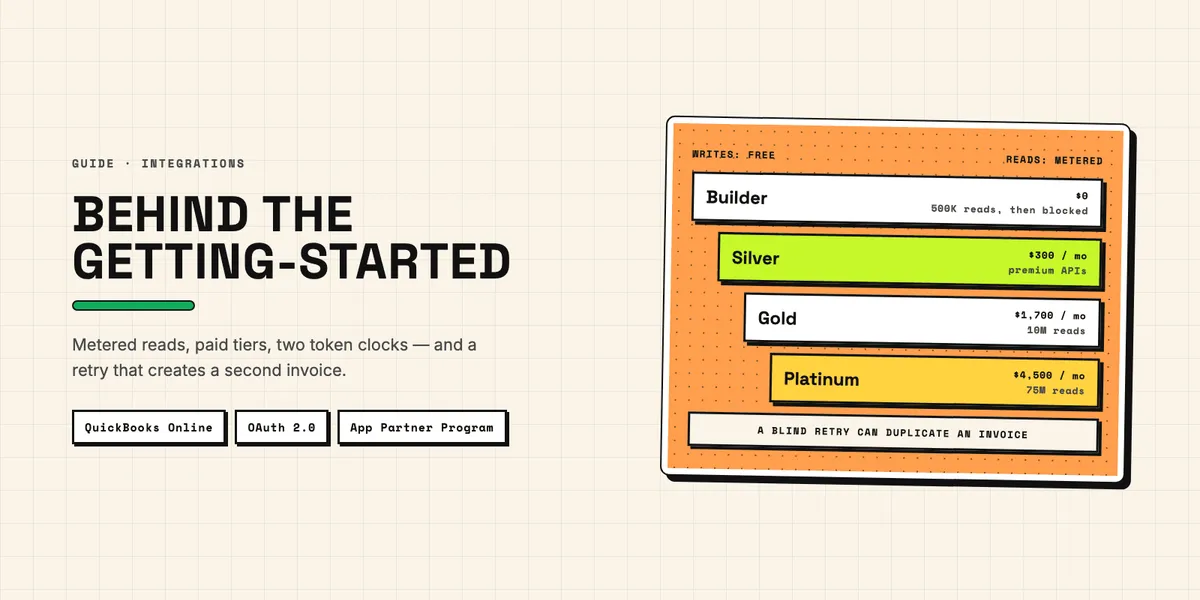
"The QuickBooks API" is really several APIs, and for most CRM and app integrations the one you need is the QuickBooks Online Accounting API. Its getting-started guide gets you to a first call quickly. What it does not put in front of you is where the time and money go afterwards: reading data has been metered since Intuit introduced its App Partner Program, some APIs sit behind a paid tier, refresh tokens expire on two clocks, and a retried request can create a second invoice.
This article collects those points for developers and technical buyers who are about to build a QuickBooks integration. Every number below comes from Intuit's own documentation or program guide, checked on September 22, 2026, or is calculated from it. Where two official pages disagree, we say so.
Which QuickBooks API do you actually need?
For a cloud integration, the QuickBooks Online Accounting API. Intuit's API overview states that it "doesn't include the APIs for payments processing, QuickBooks Desktop, or QuickBooks Workforce API" — each of those is a separate product with its own documentation, scopes and limits. The Accounting API itself runs on REST, with GraphQL used for newer parts such as the premium APIs.
QuickBooks Desktop is a different world. Its SDK talks to the installed program through local XML messages (QBXML) on the same machine or network, not through a cloud API with OAuth. In the United States, new customers can no longer buy most Desktop editions: according to an archived Intuit help article (snapshot of August 9, 2026), the deadline for new Pro Plus, Premier Plus and Mac Plus subscriptions was September 30, 2024, while "QuickBooks Desktop Enterprise products are not impacted". A new Desktop integration therefore usually means Enterprise customers or existing installations.
What does the QuickBooks API cost under the App Partner Program?
Writing data is free; reading it is metered. Intuit's App Partner Program Guide (version 1.2, March 2026) splits calls into two kinds. "Core API calls cover most data-in operations such as creating or updating invoices, bills, customers, vendors" and are "unmetered and uncharged". "CorePlus API calls cover most data-out operations such as reading accounts, querying company information, and fetching reports" — those are metered. Only successful calls with a 2xx status count.
| Tier | Monthly fee | CorePlus calls included | Beyond that |
|---|---|---|---|
| Builder | none | 500,000 | blocked |
| Silver | $300 | 1 million | $3.50 per 1,000, less at higher volume |
| Gold | $1,700 | 10 million | $1.40 per 1,000, less above 75 million |
| Platinum | $4,500 | 75 million | $0.25 per 1,000 |
The word that matters in the Builder row is "blocked". The guide says CorePlus calls above the included amount "will be blocked" and caps them per calendar month; the limits page confirms that they fail with error 429. The allowance is counted per developer workspace, across all your apps and all connected companies — not per customer. A two-way sync that polls QuickBooks once a minute for payment status uses about 43,200 reads a month per customer, so Builder would cover at most about eleven customers. Webhooks plus a periodic Change Data Capture call keep reads far lower. Gold and Platinum also require 500 and 3,000 active connections, so the choice of tier is not entirely free. The program is open to partners based in the US, UK, Australia and Canada (excluding Quebec).
Which features need a paid tier?
For a CRM integration, the premium APIs that matter are Custom Fields, Sales Tax and Projects; Intuit also lists Dimensions and Payroll Compensation. Intuit's premium APIs page is explicit: they "are available to Silver, Gold, and Platinum partners only. Builder tier partners do not have access to premium APIs." The Custom Fields API lets you define up to 12 custom fields across transactions, which is where a deal ID or a sales rep would naturally go; it is available for Essentials, Plus and Advanced, not Simple Start.
Not everything with a similar name is premium, though. Up to three legacy text fields on sales transactions and purchase orders can still be filled through the regular REST API on Builder; their names have to be set up in QuickBooks by the customer. And in US companies that have automated sales tax set up — which is only possible in the QuickBooks interface — QuickBooks calculates the tax when you create an invoice through REST with the tax code set. Silver becomes necessary when you have to create field definitions yourself, need more than three fields, calculate tax without creating a transaction, or work with projects — and then the $300 monthly fee is due regardless of call volume. Check your requirements against the premium list before you quote a price to anyone.
How long do QuickBooks tokens really last?
An access token lasts one hour; a refresh token has a rolling 100-day life inside a fixed five-year limit. The OAuth 2.0 documentation says access tokens "are valid for 60 minutes (3,600 seconds)" and refresh tokens "have a rolling expiry of 100 days". A refresh may return a different refresh token, and a connection that is refreshed regularly stays alive.
The second clock is easy to miss. Intuit's release notes date the five-year cap to February 2026, so older tutorials do not mention it. The token response carries x_refresh_token_hard_expires_in if you request it with x-include-refresh-token-hard-expires-in set to true; the field is described as "the remaining time, in seconds, left in the token's five-year lifespan". After five years the user has to reconnect, however active the integration is. Two practical consequences follow. Always store the refresh token from the most recent response, as Intuit instructs. And build a reconnect flow with a notification from day one — a connection whose token has not been refreshed for 100 days, or has reached five years, will fail with an authorization error, and someone has to click through the consent screen again.
What do the limits look like in practice?
Per company, 500 requests per minute across all apps, and 10 per second for each app. The same limits page adds that throttled requests return error 429, that you should "wait 60 seconds before retrying", and that requests running longer than 120 seconds time out. Each transaction except journal entries can hold at most 10,000 lines.
Batch requests are where the documentation contradicts itself. When we put the two official pages side by side on September 22, 2026, the limits page gave the "recommended maximum number of payloads in a single batch request" as 30, while the batch page said you can "send up to 10 payloads with a single batch operation". Build for 10; that works under both.
Queries have their own limits. A response returns at most 1,000 entities and 100 by default, the query language has no OR, JOIN or GROUP BY, and you can only query one entity at a time. For catching up on changes, Change Data Capture looks back at most 30 days — an integration that was offline for longer has to fall back to queries on LastUpdatedTime, which miss deletions, or a full resync.
Why does a retry create a duplicate invoice?
Because an automatically assigned invoice number does not protect you. Intuit's field documentation says so directly: "DocNumber is not a system-level idempotency key in the traditional sense", and with automatic transaction numbers "every Create request — including retried ones — gets a new unique number and creates a new transaction. There is no deduplication." If your call times out and you send it again, QuickBooks may now hold the invoice twice.
Two things do protect you. The requestid parameter, up to 50 characters (36 in batch requests), which Intuit recommends "for requests that write, modify, or delete data": a second request with the same ID returns the original response instead of doing the work again. Or your own stable DocNumber plus a query before you retry, which the same page calls "the most reliable way" to get idempotent behavior — keep in mind that the query is itself a metered read. Three related traps sit in the same area. A response with HTTP status 200 can still contain a Fault element, so check the body, not only the status. An update needs the current SyncToken; if someone changed the record in the meantime, you get error 5010 "Stale Object" and have to read it again. And a full update clears every writable field you left out, while a sparse update touches only the fields you send.
What changed that older tutorials still miss?
Besides the metered reads described above, three things: minor versions, the webhook format and the five-year token cap. According to the minor versions page, support for minor versions 1 through 74 ended on August 1, 2025. A request asking for an older version is not rejected — it is quietly answered with version 75. Code written against an older version keeps running but may receive fields it does not expect.
Webhooks changed their envelope. Intuit announced in November 2025 that the payload moves to the CloudEvents format and that "the migration is mandatory", originally by May 15, 2026; an update to the same post, dated May 5, 2026, extended the deadline to July 31, 2026, so it has passed (the current version of the post only loads in a browser, the archived copy predates the update). Intuit's webhook documentation now describes only the CloudEvents format, so tutorials showing the old eventNotifications structure no longer match what Intuit documents. What has not changed is the principle: a webhook tells you that something changed, not what. Your endpoint must answer within three seconds, events can arrive out of order, and Intuit itself recommends backing webhooks up with a Change Data Capture call for anything you might have missed.
Build it yourself or use a unified API?
It depends on how many accounting systems you need. If QuickBooks is the only one, building directly gives you full control and no extra fees, but you absorb every breaking change yourself — two since August 2025 alone, the minor versions and the webhook format. If you also need Xero, Sage or others, a unified accounting API handles token refresh and maps the data into one format — but Intuit's fees still apply. Vendors of such APIs point out that Intuit's pricing is separate from their own.
Either way, the tier decision and the premium features stay your problem; whether a vendor also handles duplicate protection and the sync design varies, so ask. For the choice between native apps, integration platforms and your own build, see our guide to the best Salesforce–QuickBooks integration. If your CRM is Pipedrive, its token-based limits work very differently from QuickBooks' requests per minute; we explain them in what you can build with the Pipedrive API. And for the broader question of why accounting and CRM data should be connected at all, see the benefits of ERP–CRM integration. If you are planning a QuickBooks integration for your CRM, describe what should sync and we will tell you what to expect.