Pipedrive vs HubSpot: an honest comparison from a Pipedrive shop
The bias first, because you should know it before the numbers: we build apps for Pipedrive. That is a reason to read this carefully, not a reason to close the tab. A shop that only ever gives one answer is useless to you, and there are companies we would talk out of Pipedrive.
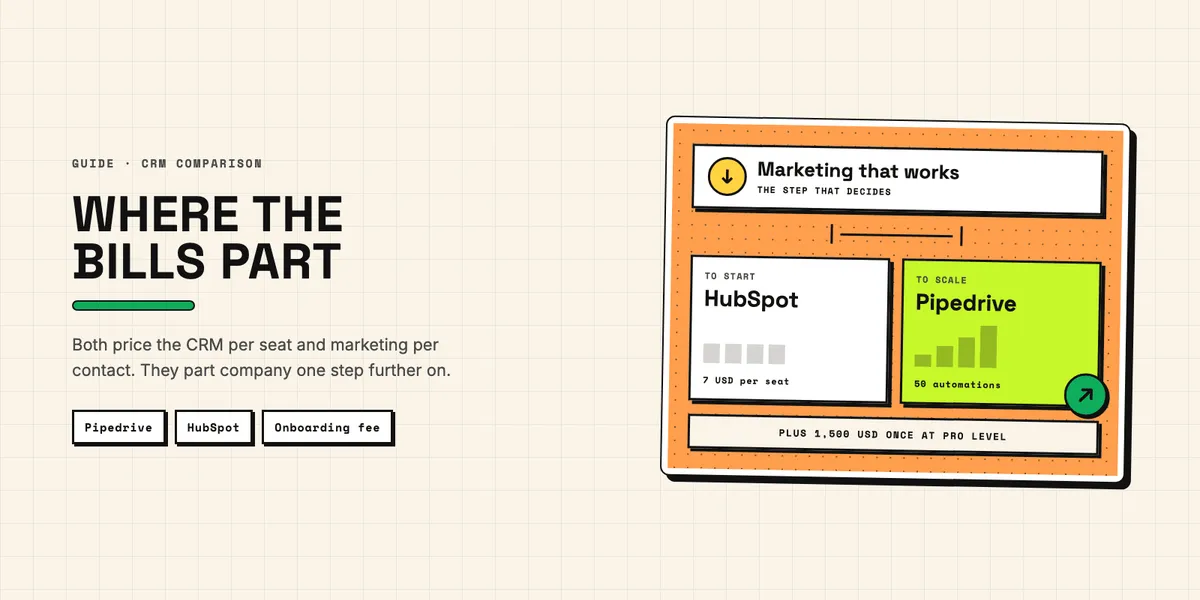
Here is the short version, and it is duller than the comparison posts would like. Pipedrive vs HubSpot is decided by the numbers below, not by the feature list, and whoever wins that list is not automatically the one you should buy. Both vendors price the CRM itself per seat. Both bolt marketing on beside it, and both meter at least part of that by record count rather than headcount. The two bills part company not over the architecture but over one step: how much it costs when you want the marketing side to do real work. Miss that step and the software works beautifully while the invoice goes somewhere nobody budgeted for.
What do Pipedrive and HubSpot actually cost in 2026?
Per seat, at the top of the range, they are closer than their reputations suggest. The gap opens in the middle, and it opens because of a fee that is easy to miss.
| Pipedrive | HubSpot Sales Hub | |
|---|---|---|
| Free forever | none, 14-day trial only | $0/mo, up to 2 users |
| Entry tier | Lite, $14/seat/mo | Starter, $7/seat/mo |
| Sequences tier | Growth, $39/seat/mo | Professional, $90/seat/mo plus $1,500 once |
| Top tier | Ultimate, $79/seat/mo | Enterprise, $150/seat/mo plus $3,500 once |
That third row says sequences, not automation, and the distinction is worth the detour. Plain workflow automation does not sit at $90 on the HubSpot side: Sales Hub Starter, at $7 per seat, already lists up to 50 workflows with restricted triggers and actions. One-to-one nurture sequences are what Professional buys. HubSpot's Starter row is also a bundle rather than a sales product — the same $7 covers marketing, sales, service, content and data tools, which is why that price turns up again later under a different hub's name.
Prices are per seat per month with annual billing, in US dollars, read on 17 September 2026. The Pipedrive figures come from its pricing page, which blocks automated retrieval, so the link here is to an archived copy from 13 September 2026; how the plans, add-ons and top-ups fit together is set out in its knowledge base article on pricing. HubSpot's ladder is on its Sales Hub pricing page. The table skips Pipedrive's Premium plan at $59 for symmetry, and that omission matters later.
The one-time amounts in the right-hand column are not optional. HubSpot's own pricing page carries the footnote in small type: the quoted seat price "does not include the required, one-time Professional Onboarding for a fee of $1,500", and $3,500 at Enterprise. HubSpot's onboarding page describes how that plan is put together, though not what it costs or contains in detail. Whatever you think of the value, the footnote calls it required and it lands in month one.
One more line worth reading twice: HubSpot Starter is $7 per seat with annual billing and $20 per seat if you pay monthly. Almost three times, for the same software — an annual discount of about 65 %. Pipedrive discounts annual billing too, by up to 42 % on its own pricing page, but a step of the HubSpot size is worth checking before you assume the monthly price is the price.
Where does each bill stop following your headcount?
At the marketing module, in both systems. HubSpot bills only the records flagged as marketing contacts; everything else sits in the CRM for free and never touches the price tier, and the whole mechanism applies only to Marketing Hub. So the popular line that HubSpot charges you for your database is wrong.
What it does do is flip contacts into that status automatically the moment an import, a form, a chatflow or a workflow sets it — and HubSpot's documentation states that a tier upgrade cannot be prevented once the limit is exceeded — though you can set a maximum in advance, which holds off imports and automated features. The maximum and the billing tier are separate things, and a tier you have climbed stays climbed until renewal. The meter is narrower than its reputation, but it is not one you operate by hand.
Marketing Hub Professional starts at $800 a month and includes 2,000 marketing contacts and three core seats; further seats start at $45 a month, and there is a one-time onboarding fee of $3,000. Enterprise starts at $3,600 a month with 10,000 marketing contacts included, seats from $75, and onboarding at $7,000. On top of that sits a consumption meter: HubSpot Credits, which power the AI agents. Each paid plan includes an allowance — 3,000 on Marketing Hub Professional — and anything beyond it costs $9 per 1,000 when paid annually.
Now the part a Pipedrive shop is tempted to leave out. Pipedrive's add-ons are not all per seat either, and one of them runs on the same kind of meter, a second on a related one. LeadBooster starts at $32.50; Projects at $16, priced per seat; Campaigns at $13.33, priced by the number of subscribers, which is list size under another name; and Web Visitors at $41, billed by the number of unique organizations that visit your site each month — a traffic meter rather than a record meter, but just as little tied to headcount. On Premium at $59 and on Ultimate, LeadBooster, Projects and Smart Docs stop being add-ons and come with the plan; Campaigns and Web Visitors stay extra at every tier.
So the forecasting argument is narrower than the slogan it travels as. Both vendors count contacts, and both do it on the marketing module rather than in the CRM. Decline the module in either system and you decline the meter and the capability together. Anyone selling you the idea that one of them is per seat and the other is per contact is describing half of each.
What differs is the consequence of going over. HubSpot raises the tier by itself and bills it until renewal. Pipedrive marks the surplus subscribers as "Pending upgrade" and stops sending to them until you upgrade on purpose. One surprises you on the invoice, the other in the campaign report.
The step that does separate them is what the marketing module costs once you want it to do more than send a newsletter. Two numbers look identical here and are not. Pipedrive caps each automation at ten actions in its automation limits, on every plan right up to Ultimate. HubSpot's Marketing Hub Starter carries the same ten-action cap in its email automation — and lifts it entirely at Professional, which lists unlimited actions plus omni-channel automation.
What you have to buy before you get any automation also differs. Pipedrive permits 50 active automations on Growth and 250 on Ultimate, and none whatsoever on Lite, so the real entry price for automated marketing is a Growth seat at $39 plus Campaigns at $13.33. HubSpot's Marketing Hub Starter, at $7 per seat with 1,000 marketing contacts, gives you simple marketing automation capped at those ten actions, and on the ads side one simple workflow per form; unlimited actions and omni-channel automation begin at Professional, $800 a month plus $3,000 once, capped there at 300 workflows.
Cheaper to start on HubSpot, cheaper to run many automations on Pipedrive. The crossover is not the ten actions — HubSpot lifts that cap at Professional, Pipedrive on no plan at all — but the number of automations. Pipedrive Growth allows fifty active ones; Marketing Hub Starter gives you one simple workflow per form on the ads side and ten automated actions in email, and no omni-channel automation whatsoever.
Where is HubSpot genuinely the better choice?
In three situations, and we would rather name them than have you find them later.
The first is when marketing owns the funnel. If the same person has to be tracked from first click through nurture to closed deal, HubSpot holds that in one record with no sync in between. A Pipedrive setup gets partway there with Campaigns, which is native and needs no sync, or with the Mailchimp integration if the mailing already lives there. What neither gives you is one attribution model across ads, landing pages and forms — that is the part HubSpot holds in a single record.
The second is when your business has an object the CRM does not ship with. Contracts, properties, vehicles, courses, shipments. HubSpot lets you define your own, and its documentation on custom objects is explicit that it takes an Enterprise subscription — any one of seven, from Sales Hub to Smart CRM. The cheapest route to it is Smart CRM Enterprise at $75 per seat, whose pricing page lists custom objects and carries no onboarding footnote. Add the sales tooling and you are at Sales Hub Enterprise, $150 per seat plus the $3,500 onboarding. Pipedrive has no equivalent. It offers custom fields on the objects it already ships with, which is a different thing.
The third is the least glamorous: two people, no budget, and a need to start today. HubSpot's free tier is listed at $0 a month for up to two users. Pipedrive has a 14-day trial and then a bill.
Where does Pipedrive win?
In two places, and the first is narrower than it looks.
Pipedrive Growth, at $39 per seat, includes them. In HubSpot, sequences sit in Sales Hub Professional at $90 per seat plus the $1,500 onboarding fee; Free and Starter have none at all. Run that over a five-person sales team for one year: Pipedrive Growth is $2,340, HubSpot Professional is $5,400 plus $1,500, so $6,900. Year one costs roughly three times as much for that one capability.
The win is narrower than it looks, and the narrowing goes against us. Plain workflow automation costs far less than Professional on both sides: HubSpot Sales Hub Starter carries those 50 restricted workflows for $7 per seat — the same count Pipedrive gives you on Growth at $39. If sequences are not what you are buying, that comparison reverses.
The second advantage is harder to put in a table. Pipedrive is a pipeline with things attached; HubSpot is a platform with a pipeline in it. If nobody on your team is going to use the marketing tools, the content tools or the service tools, you are still going to see them, configure around them and train new hires past them. Smaller surface is a real feature when the person administering the CRM is also the person selling.
What can you build on each API?
We build on the Pipedrive API, so the Pipedrive half of this is first-hand; the HubSpot half is read off its documentation. Both systems have two ceilings, and which one you hit first is the real difference.
Pipedrive's headline ceiling is a daily budget priced by complexity: 30,000 base tokens multiplied by a plan factor — 1 on Lite, 2 on Growth, 5 on Premium, 7 on Ultimate — multiplied by the number of seats. Requests cost what they cost the platform: 2 tokens to read one record, 20 to read a list, 10 to update, 40 to run a search, with the newer v2 endpoints costing less than their v1 equivalents. On top of that sits a burst limit in a rolling two-second window, from 20 requests on Lite up to 120 on Ultimate, and four times those figures for OAuth apps — except for search, which is capped at 10 requests per two seconds on every plan and every authentication type. Both are set out in Pipedrive's rate limiting documentation. Five seats on Growth means 300,000 tokens a day, shared by every integration in the account — about 7,500 searches, or rather fewer once the other apps have taken their share. Top-ups add 250,000 at a time, up to ten, and only from the Growth plan upwards.
HubSpot counts requests rather than complexity, but the shape is the same. Its API usage guidelines put private apps at 100 requests per 10 seconds and 250,000 a day on Free and Starter, 190 per 10 seconds and 625,000 a day on Professional, and 190 per 10 seconds with 1,000,000 a day on Enterprise. Apps distributed through the marketplace using OAuth get 110 requests per 10 seconds per installing account. The shape mirrors Pipedrive's: a short-window ceiling each caller gets for itself, and a daily ceiling the whole account shares. HubSpot sells headroom too — an API limit increase raises the burst to 250 per 10 seconds and adds a million requests a day, and you can buy at most two — though not for marketplace apps, whose 110 per 10 seconds the add-on leaves untouched.
So both can stall for a moment and both can go dark for a day; what differs is which happens first. A Pipedrive integration with a few expensive calls — searches at 40 tokens each — exhausts the daily budget while nowhere near the burst limit, and stays quiet until the budget resets at midnight in the server's time zone. A HubSpot integration doing many cheap calls hits the ten-second ceiling long before the daily one, stutters, retries and carries on. The first case needs a cost model before you write any code; the second needs a queue. We worked the Pipedrive arithmetic through properly in our piece on what the Pipedrive API lets you build, and it is the calculation that decides an integration project long before anyone argues about features.
Pipedrive vs HubSpot: which one fits your company?
Three questions settle it more reliably than any feature matrix:
- Who owns the funnel? Marketing owns it and the handover is a formality: HubSpot. Sales owns it and marketing sends leads over the fence: Pipedrive.
- Does your business have an object the CRM has never heard of? If yes, you are looking at HubSpot Enterprise, because Pipedrive will not model it.
- How much do you need the marketing module to do? A newsletter and one automated follow-up is cheapest on HubSpot's Marketing Hub Starter at $7 a seat. Many simple automations point to a Pipedrive Growth seat plus Campaigns. Segmented, multi-channel campaigns mean Marketing Hub Professional at $800 a month plus $3,000 once — three core seats included, and a number that will dominate every other one in this comparison. The two are not interchangeable: the Pipedrive route buys volume, the HubSpot route buys reach.
What does it cost to leave?
Little on the data, more than expected on everything else.
Contacts, companies, deals and notes export cleanly from both, and those are the records your business actually runs on. What does not travel is the work built around them. HubSpot landing pages, marketing emails, forms and workflows are HubSpot artefacts; they have no destination in Pipedrive, and rebuilding them means rebuilding them somewhere else entirely. Custom objects have no destination either, which makes them the single strongest piece of lock-in in the whole comparison — and worth knowing before you create your first one, not after.
Going the other way, out of Pipedrive, the automations and the app layer are what you rebuild. Anything you installed from the Pipedrive Marketplace or from our own app catalog has to be replaced with a HubSpot equivalent or a custom build, and the equivalents are not always there. What to check before you install any of them is a question in its own right, and we went through it in our overview of Pipedrive apps and add-ons.
So the honest ending is not a winner. It is a warning about the order of the decision. A CRM is easy to pick on the demo and expensive to leave over the bill, and both systems make that easy in their own way — HubSpot because the marketing tier that does real work costs more than the CRM underneath it, Pipedrive because the ceilings you hit are ones you have to calculate rather than see. Work out which meters your company will actually be on, for the next three years and not the next three months, and the choice gets a good deal simpler. If you would rather talk that through than guess at it, tell us what your pipeline looks like.